Lacrosse Tracker

Everything it does

Record a game, review it, follow each player’s season, and share the results.

On the sideline

Fast enough for a real game

Lacrosse doesn’t pause while you type. Record common stats in a few taps, and the score updates as you record goals. You start and pause the clock and move to the next period yourself. Nothing is permanent — a mis-tap comes off the event timeline with one ×.
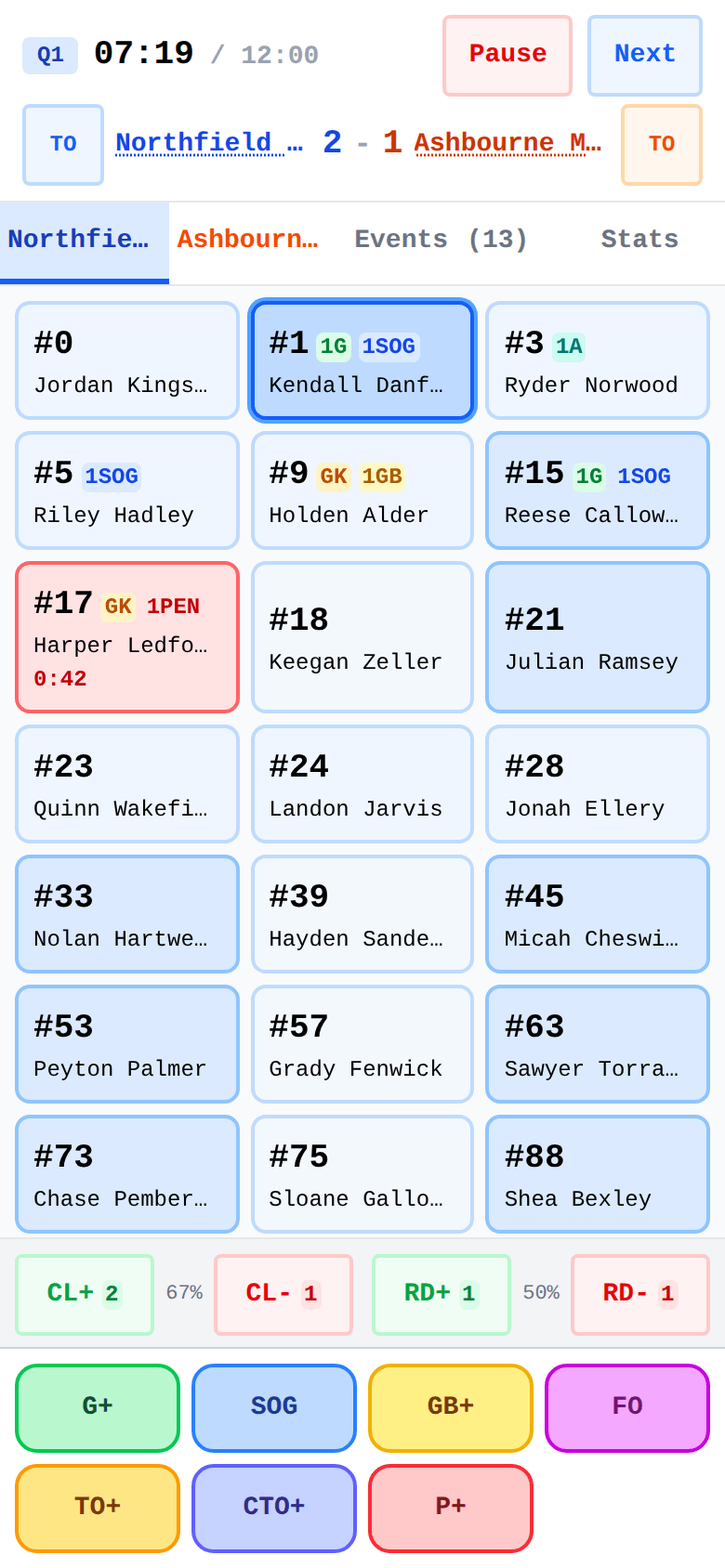
  • Tap the player, then the stat — or the stat, then the player. Both orders record the same play
  • A goal asks for the assist; every shot is recorded as a goal, miss, save or block; faceoffs credit both players
  • 17 penalty types with youth, high-school and college presets — the countdown runs on the player’s card, with man-up / man-down at a glance
  • A Stats tab inside the live game shows momentum, faceoff %, save % and the running box score at a timeout or the half
  • Works offline — close the app mid-game and pick up where you left off
Live game mid-quarter: running clock, stat badges on player tiles, a penalty countdown, and clear/ride tallies
The live game screen — player then stat, or stat then player

After the whistle

Every game becomes a story

The final score says who won; the game detail shows how. The momentum chart draws the runs, the box score credits every line, and the event timeline replays it tap by tap.
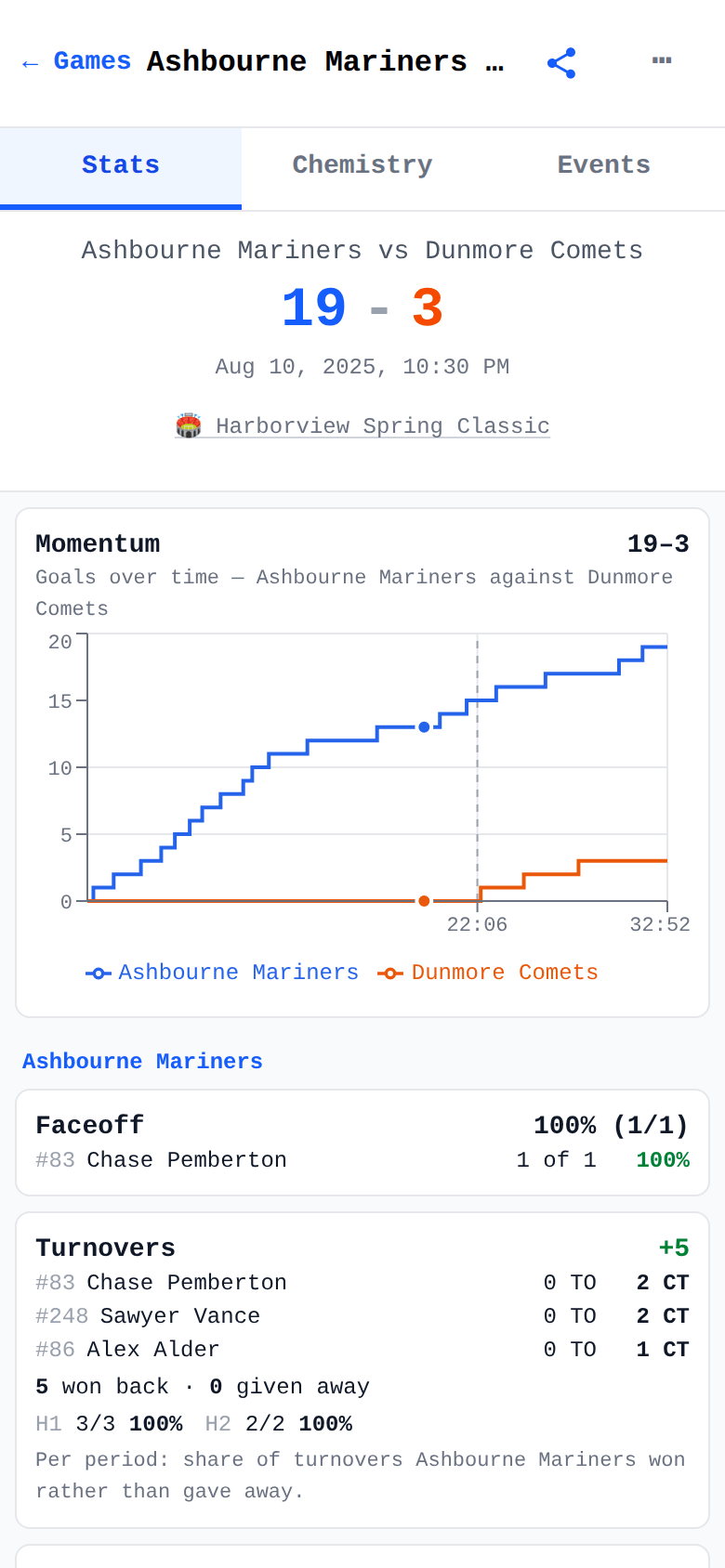
  • Game history with win/loss badges — filter by team, tournament, league or year
  • Momentum chart of how the lead swung, period by period
  • Full box score with every tracked stat, plus per-period clearing and riding splits
  • A shot-pressure chart for both cages when you track the opponent’s shots too
  • A panel with nothing solid to say stays quiet instead of showing a hollow 0 %
Completed game with momentum chart, clearing and riding splits, and per-player stat lines
One game’s story — momentum, splits, and every player’s line

Player progress

Follow each player, game by game

See how a player’s shooting efficiency, faceoffs and saves change across the season — and the same view for everyone on the roster. Every rate keeps its raw counts, so 1-for-1 never passes for 8-for-8.
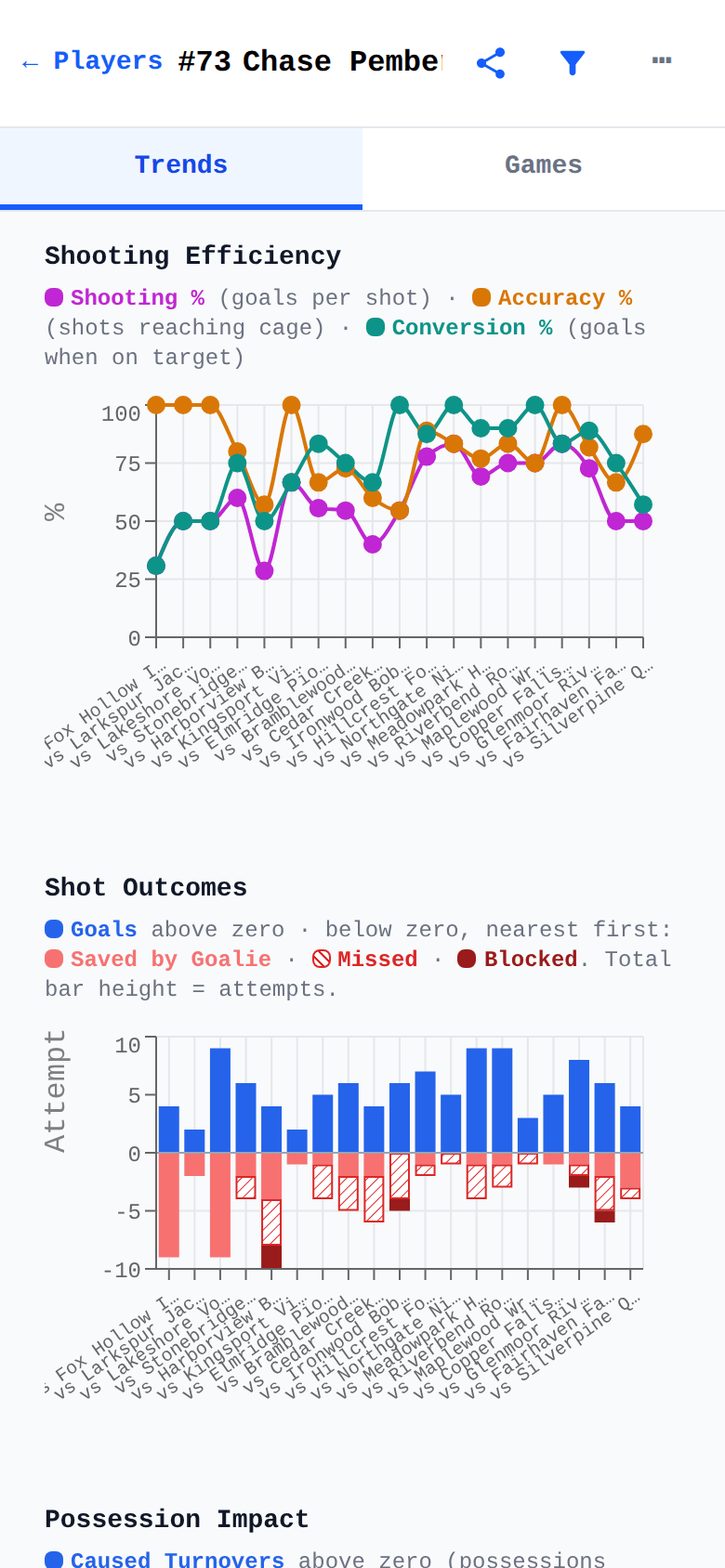
  • Trend charts across the season: shooting efficiency, shot outcomes, faceoffs, ground balls, and goalie save % and GAA
  • Career summary cards — points per game, shooting %, faceoff win % — each shown with its raw counts
  • Leaderboards for the whole squad; players need a minimum number of attempts to qualify, so one lucky shot never tops a board
  • Careers follow players across every team — progress doesn’t reset when they move up a division
  • One filter everywhere: scope any view to a team, a tournament or a year
One player's game-by-game trend charts: shooting efficiency and shot outcomes across the season
One player’s season — shooting efficiency and shot outcomes, game by game

Off your phone, into the group chat

Stats that travel

Share a finished game as a picture for the family, or as a file another coach can import into their own records. That’s how a team takes turns tracking.
  • One tap shares a finished game’s whole Stats tab as an image — momentum, team rates and both box scores. Anyone can open it, no app required
  • Send the same game to another coach as a file: “Add to My Data” adds it to their season without changing anything they already have
  • Coaches share the roster once, so every parent’s phone has the same players — then one person tracks each game
  • Player season reports and the assist graph share as images too
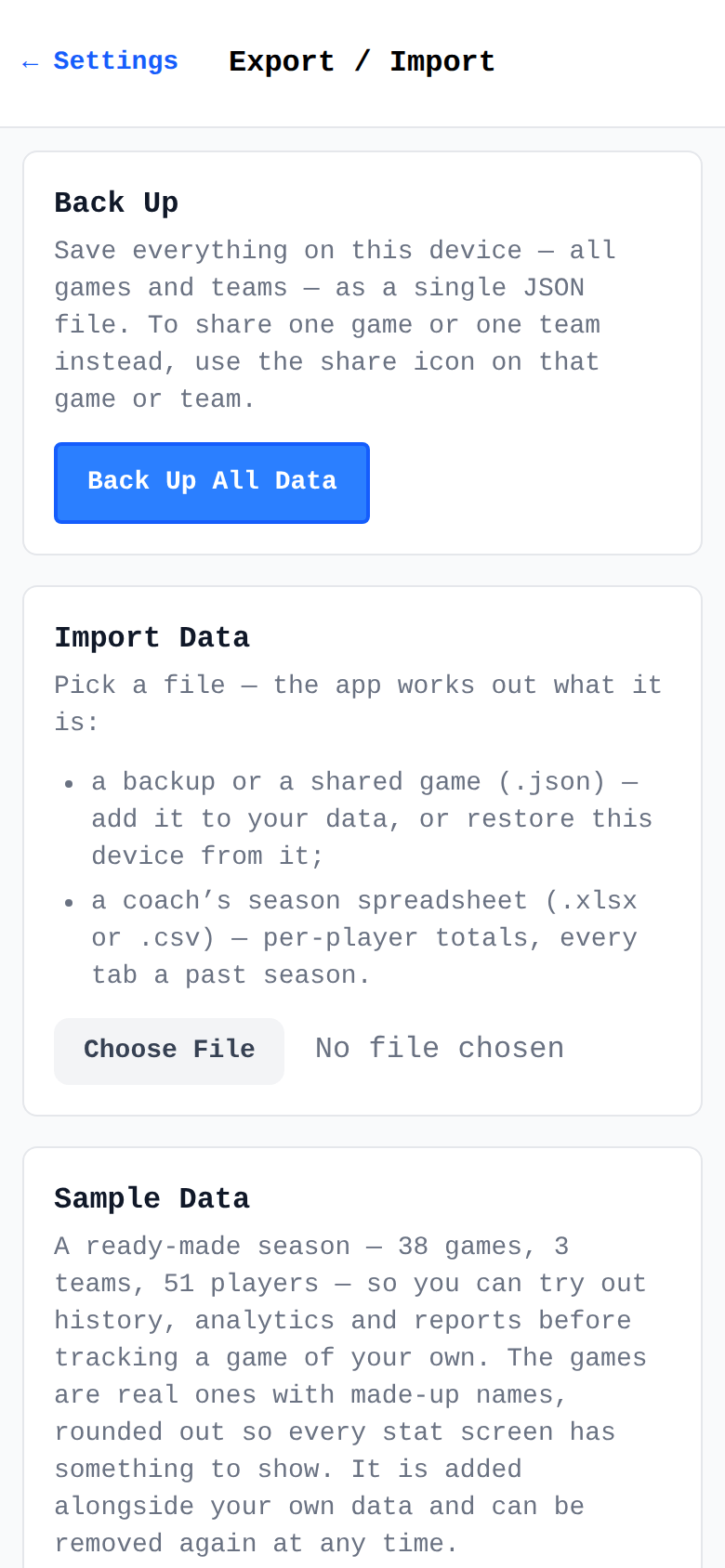
  • Full backup and restore, with an automatic safety backup before any restore
Export / Import tools: full backup, additive import, and one-tap sample data
Export / Import — backups, imports, and a sample season

Team play

See who assists whom

The team assist graph draws a season of connections, each arrow weighted by how often one player sets up another.
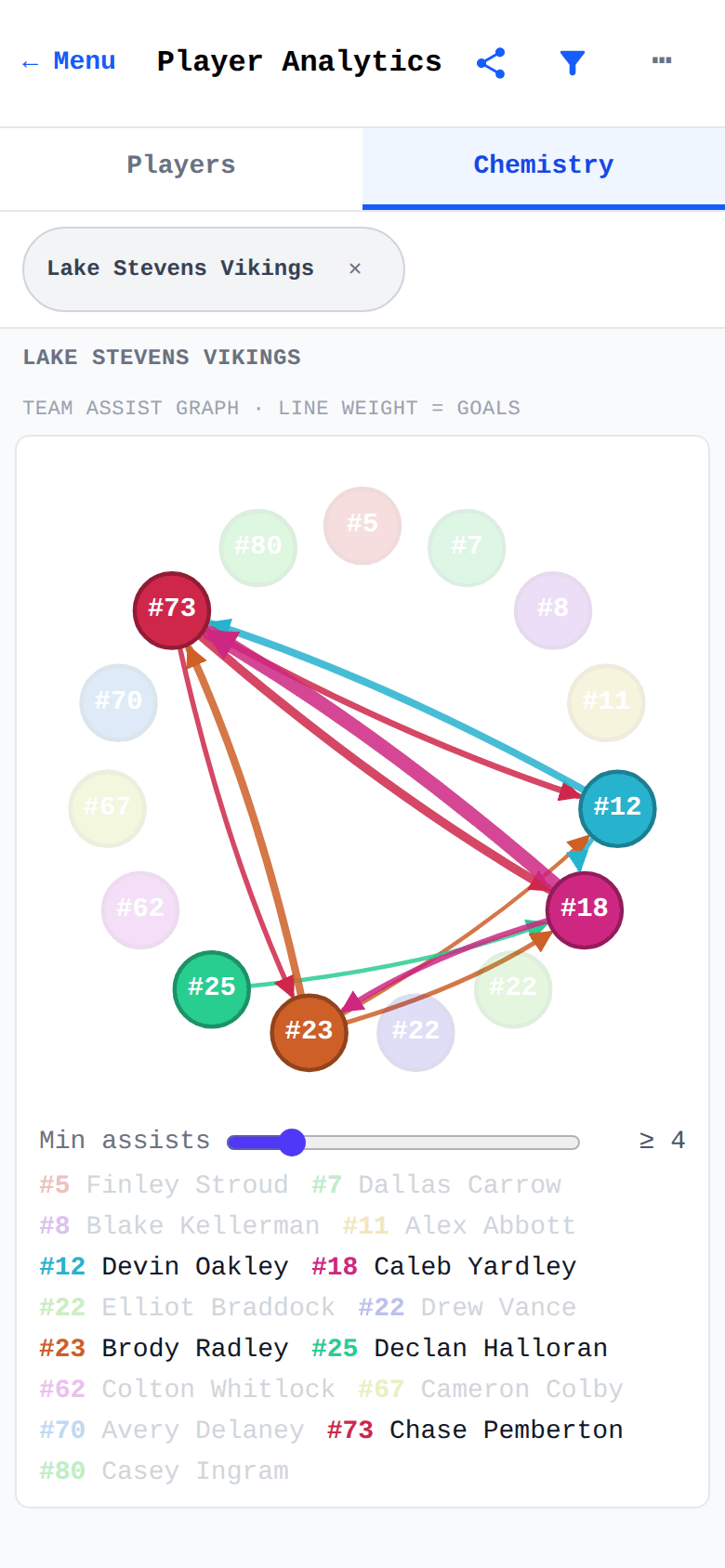
  • The whole team’s passing partnerships at a glance
  • Per-player view: who each player feeds, and who feeds them
  • On every game’s detail for that game, and in analytics for the season
Team assist graph — a ring of players with weighted arrows showing who set up whom across the season
The team assist graph — who sets up whom

Set up once

Rosters that outlast the season

Build a team once and it’s ready for every game. Opponents can be saved and reused too, roster and all.
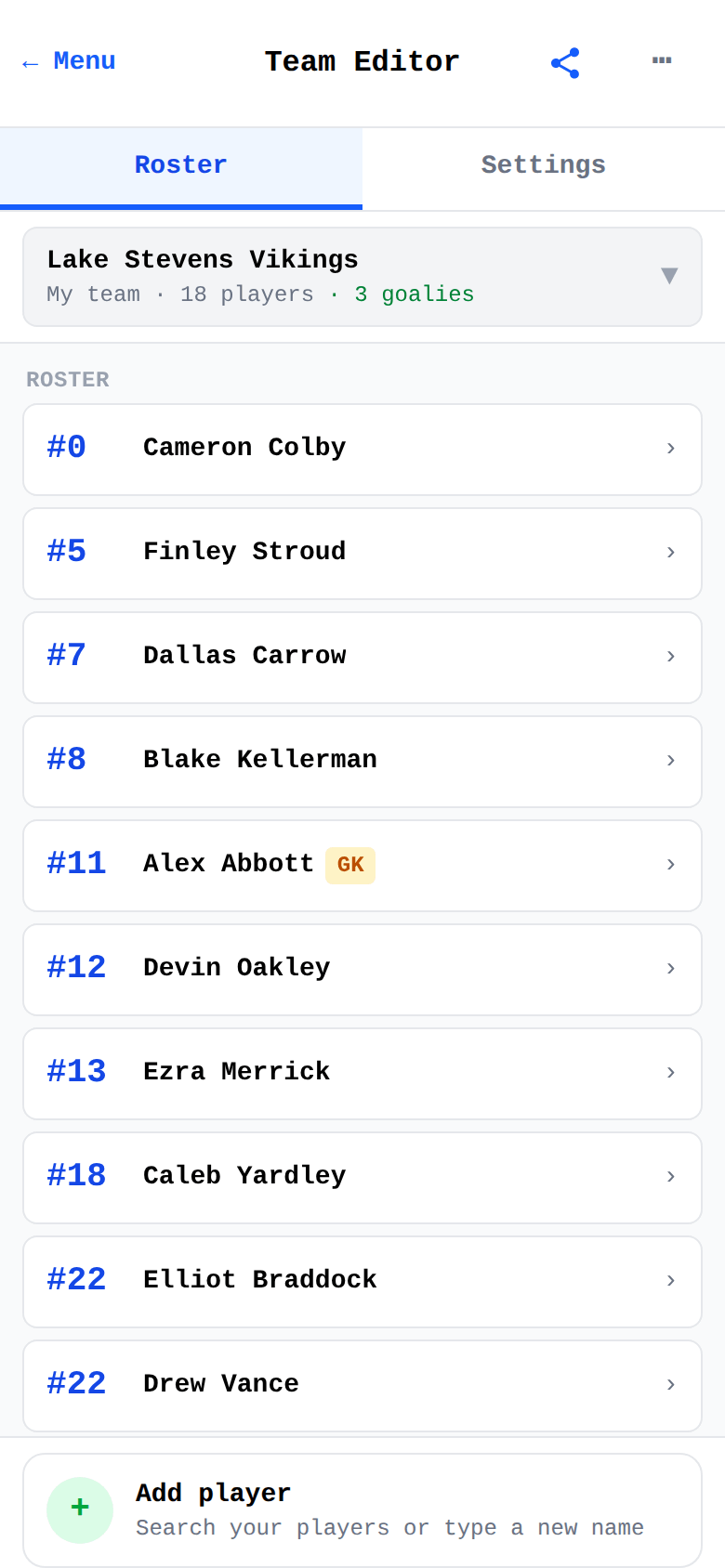
  • One player, several teams — a different number and position on each, one career
  • Know nothing about the other team? Track them by name alone — their side is one Opponent tile, and the score still stays right
  • Choose per team which stats you track and which penalty rules apply
  • Tournaments and leagues with dates, locations and notes — on game day the right one is picked for you
Team Editor roster: the team card counting players and goalies, players listed by jersey number with a GK badge on the keeper, and the Add player row
A saved roster — numbers, goalies, and one-tap add

After the fact

Nothing you tap is final

Nobody records a game perfectly while it’s happening, so none of it is locked. Correct a finished game weeks later, record one from film, or enter a game nobody tracked from its final score. One correction moves the box score, the season charts and the assist graph together.
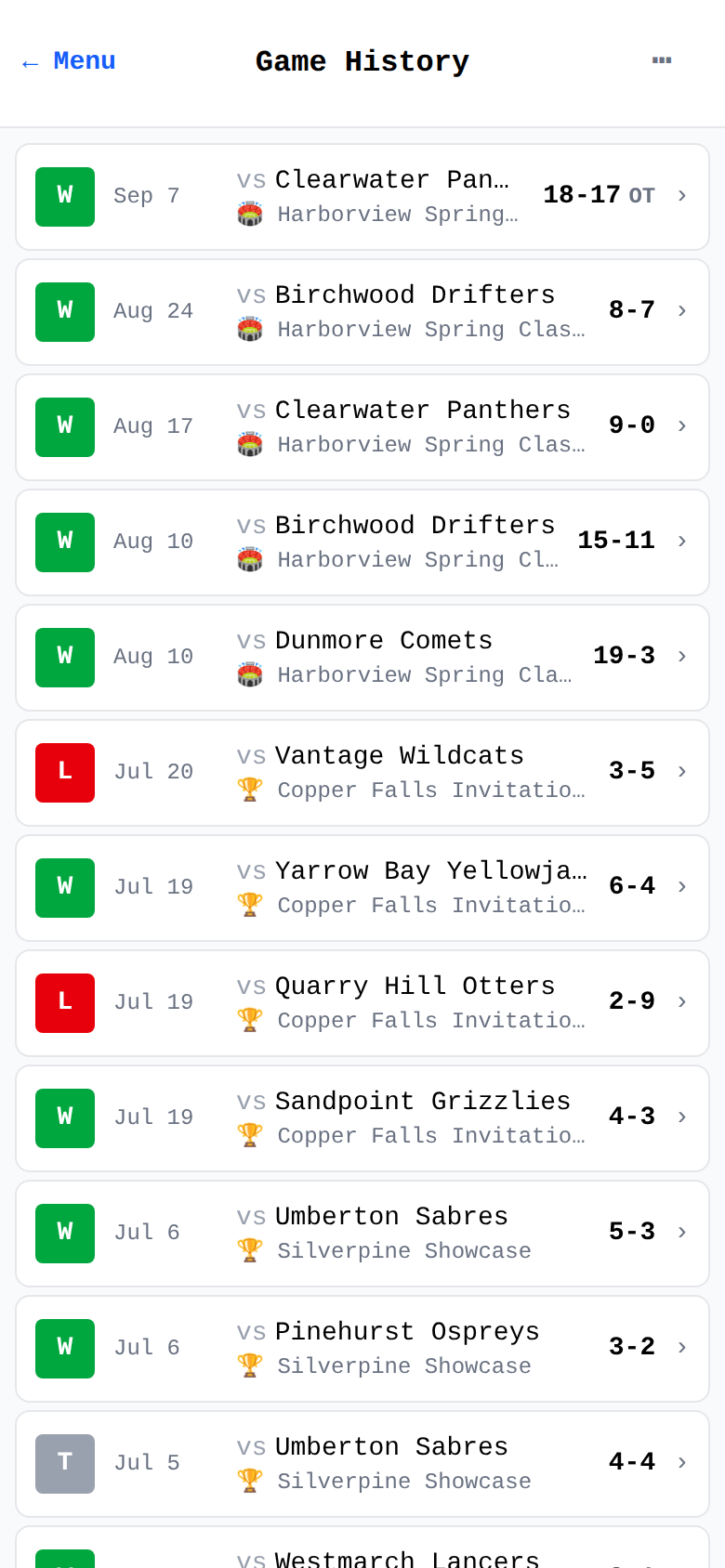
  • “Edit game” removes a mistaken entry — and tells you first what goes with it and what the score becomes
  • “Add event” records what the live tally missed, filed into the right period — even a stat the game wasn’t set up to track
  • “Add a past game” takes a game from its final score alone; “Add a past season” takes a season straight off a stat sheet
  • Anything added later carries an “added later” badge — the timeline never pretends it was live
  • Fix a name, a jersey number or who played in a past game — the in-app Getting Started guide walks through each fix
Game history list with win/loss badges and tournament tags — where past games are added and completed games are corrected
Game history — add what you missed, fix what came out wrong

Ready for the next game?

Free · No account · Works offline after your first visit