Lacrosse stats for coaches and parents
Record goals, assists, clears, rides and more in a few taps. Follow each player’s progress season after season, see who sets up whom on your team and share game reports.
Want to look around first? Open the app and tap “Explore with Sample Data”.
Free · No account · Works offline after your first visit
On the sideline
Tap the player, then the stat — or the stat, then the player, whichever matches how you saw the play. The score and totals update as you record, and a mis-tap comes off with one ×.
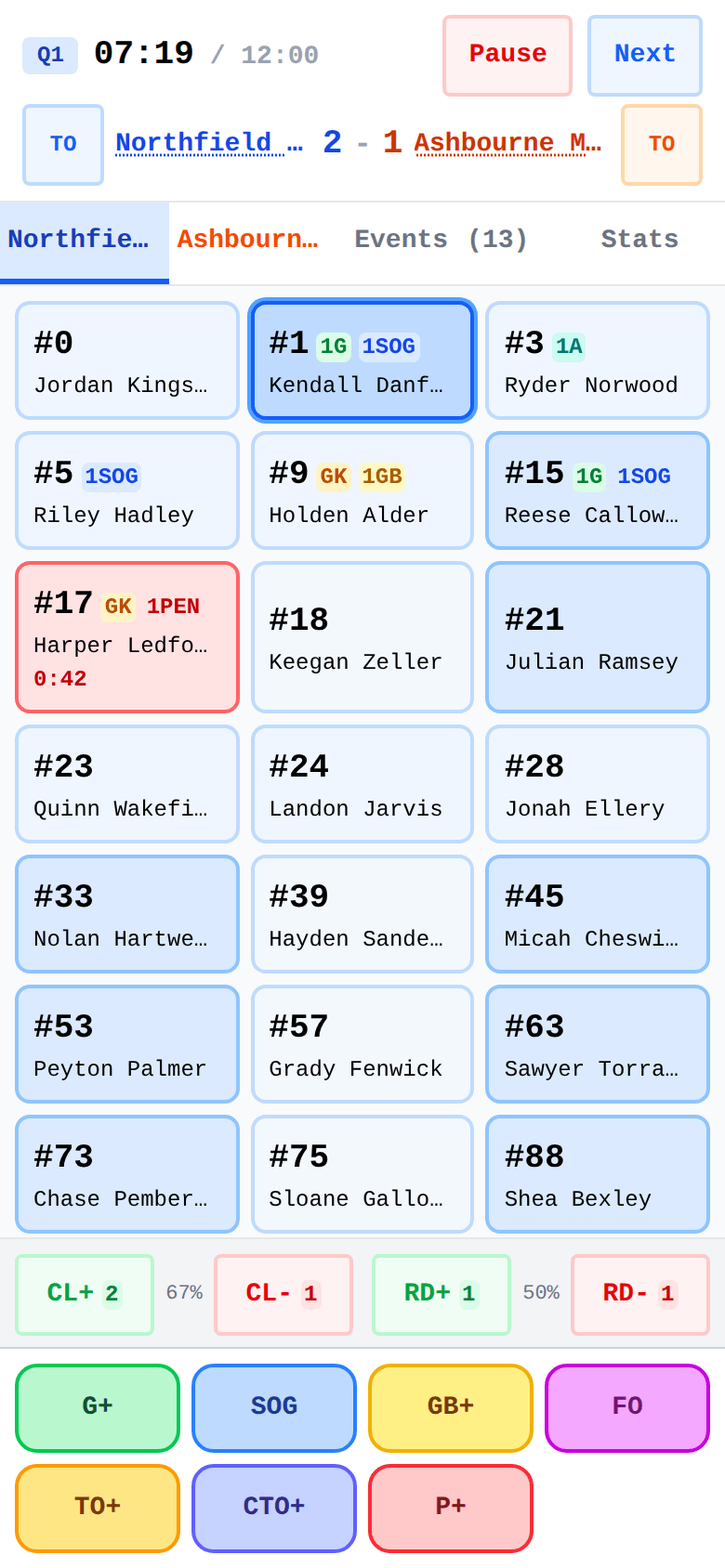
Tap a player and a stat. The score and totals update as you record goals, assists, saves and more.
Check the box score and momentum during a timeout or after the final whistle.
Compare game-by-game trends and season totals, with a player’s history carried across their teams.
Send a report image to the team chat, or share a game file for another coach to import.
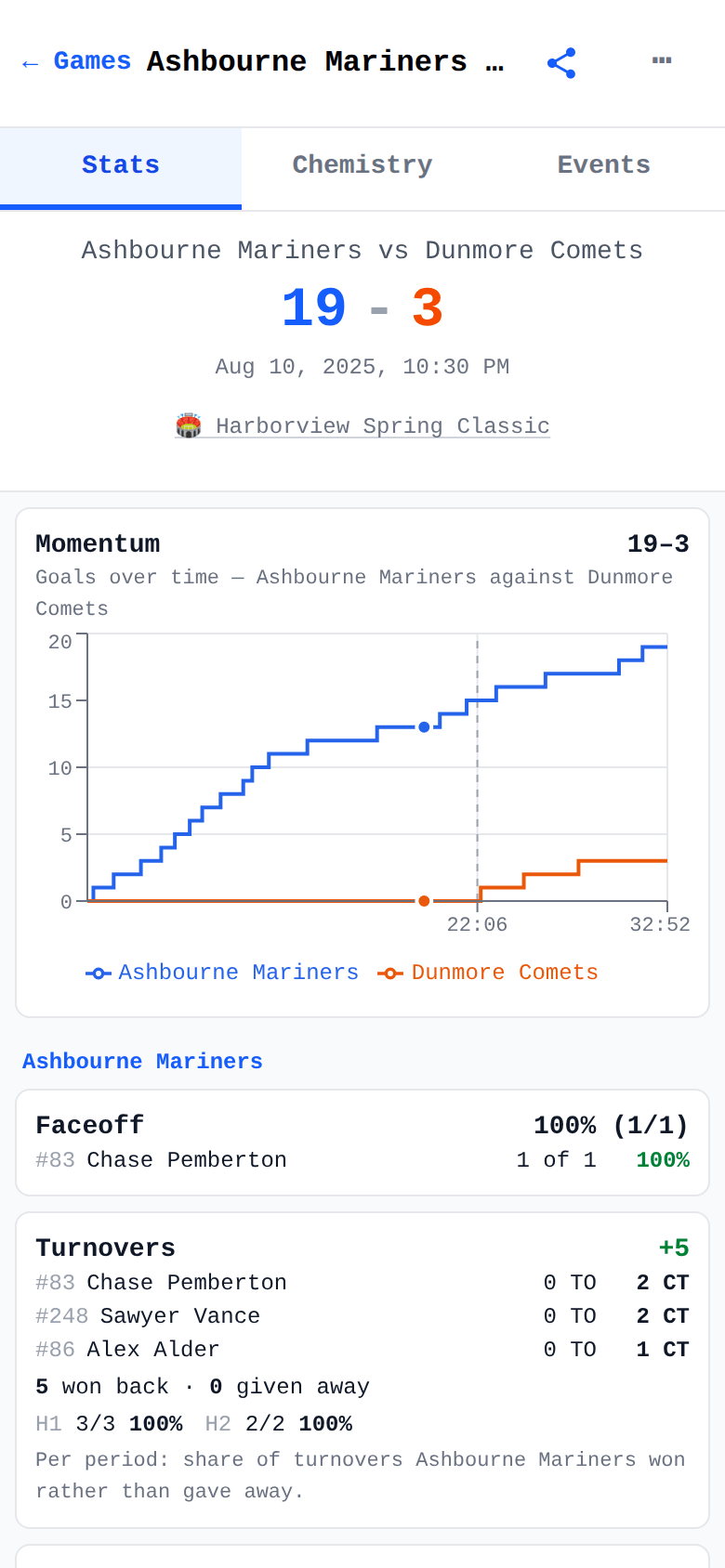
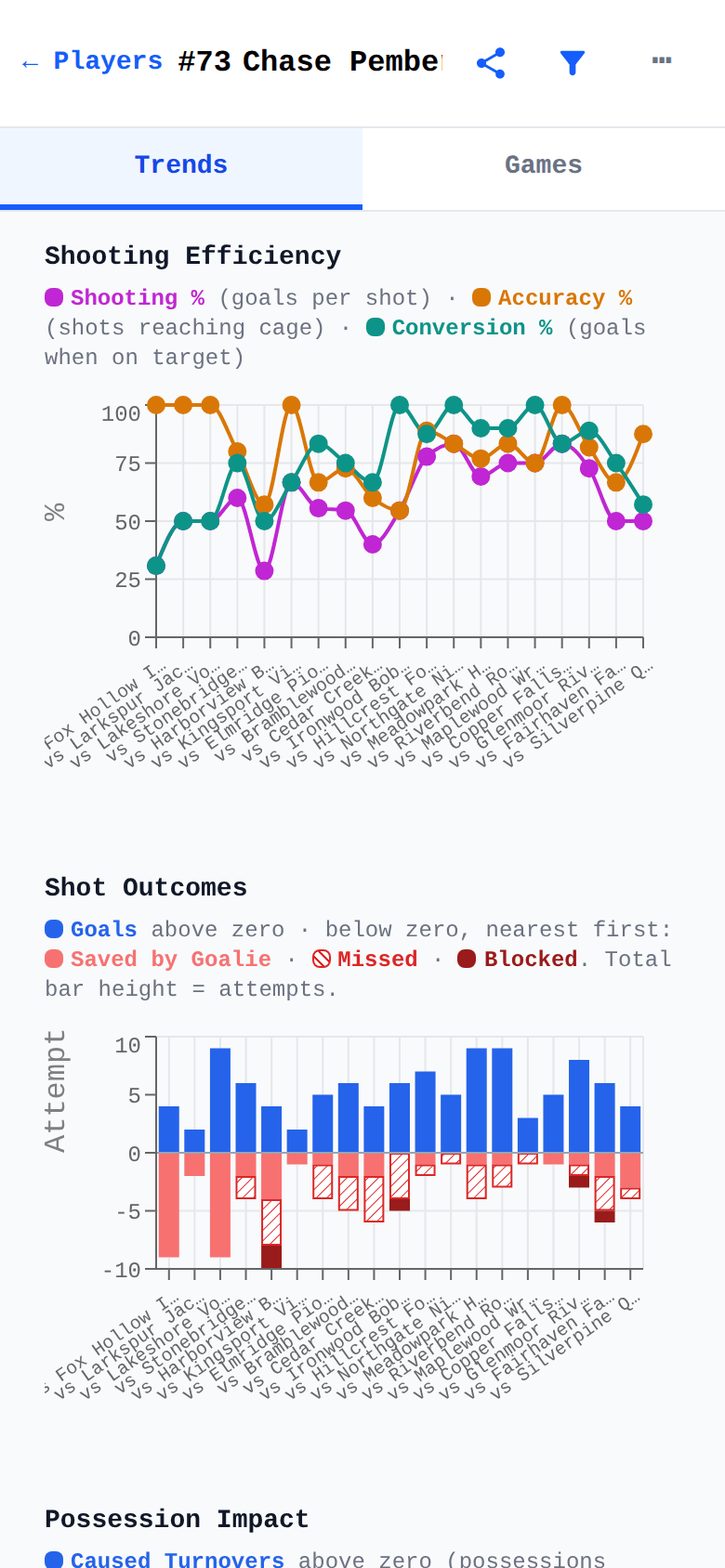
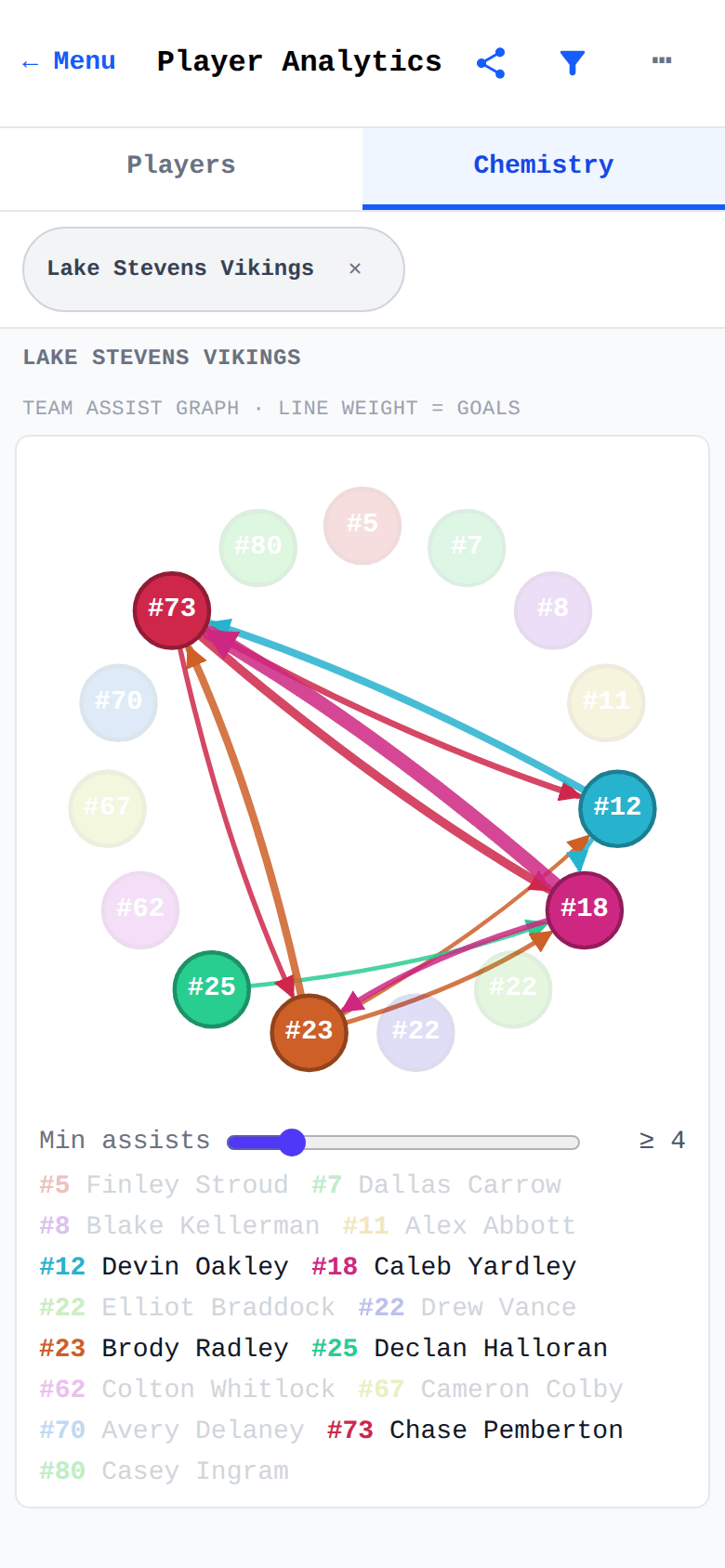
One person tracks each game. The coach collects every game into one season.
The coach sends the team as a small file. Parents import it before tracking, so every phone has the same players.
One person tracks the game, then sends the game file to the coach — and the report image to the team chat.
The coach taps “Add to My Data” to add the game to their records. Nothing already there is changed.
File-based sharing, no accounts. Agree who tracks before the game: two phones recording the same game import as two separate games.
Open the web app — no install needed. It works offline after your first visit and can be installed from the browser menu (Chrome: “Install app”).
The Android app installs and updates from Google Play, and your games are included in your phone’s standard Google backup. It’s in closed testing right now.
Join the beta to get it on Google Play.
Game records, rosters and stats are stored on your device. There’s no account and nothing to sign up for. The privacy policy explains what your phone’s backup includes and the anonymous usage analytics the app sends.
 Lacrosse Tracker